Seller guide
How selling works
From your first cash quote to payment in your account — here is the full path, including what you see in the seller portal at every stage.
Cash4Coins is built around transparency: you see your offer before you share personal info, track your package after checkout, and follow live pay estimates until we inspect your coins. Below is the same journey our sellers see in Check My Sale — with real portal screens (sample data).
Before you ship: the offer funnel
-
Pick coins & condition
Choose your U.S. silver or gold type, enter quantity and condition. Count carefully — we verify on receipt.
-
Review your cash quote
See a spot-linked quote in seconds. No account required. Accept, add more coins, or decline for local dealers.
-
Accept & checkout
Enter contact and payout details only when you accept. You receive a PK# (packing number) and confirmation email — save both.
Your checkout quote is a reference — not a price lock
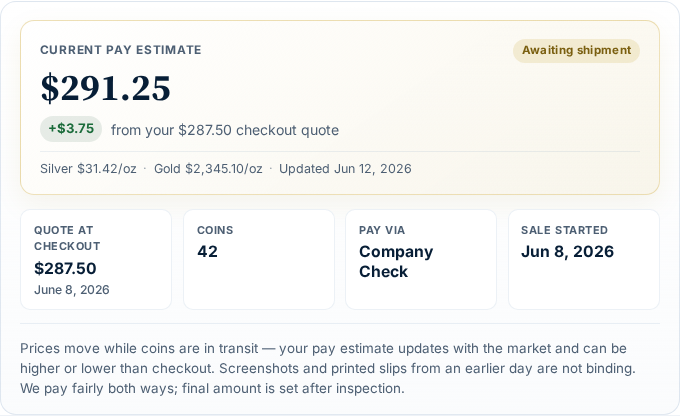
Your checkout quote is a snapshot for reference only. Screenshots, printed slips, and old emails do not lock in a price. Final payment follows inspection and current pay rates. The seller portal shows a current pay estimate that updates with the market until inspection is complete.
Check My Sale: your dashboard
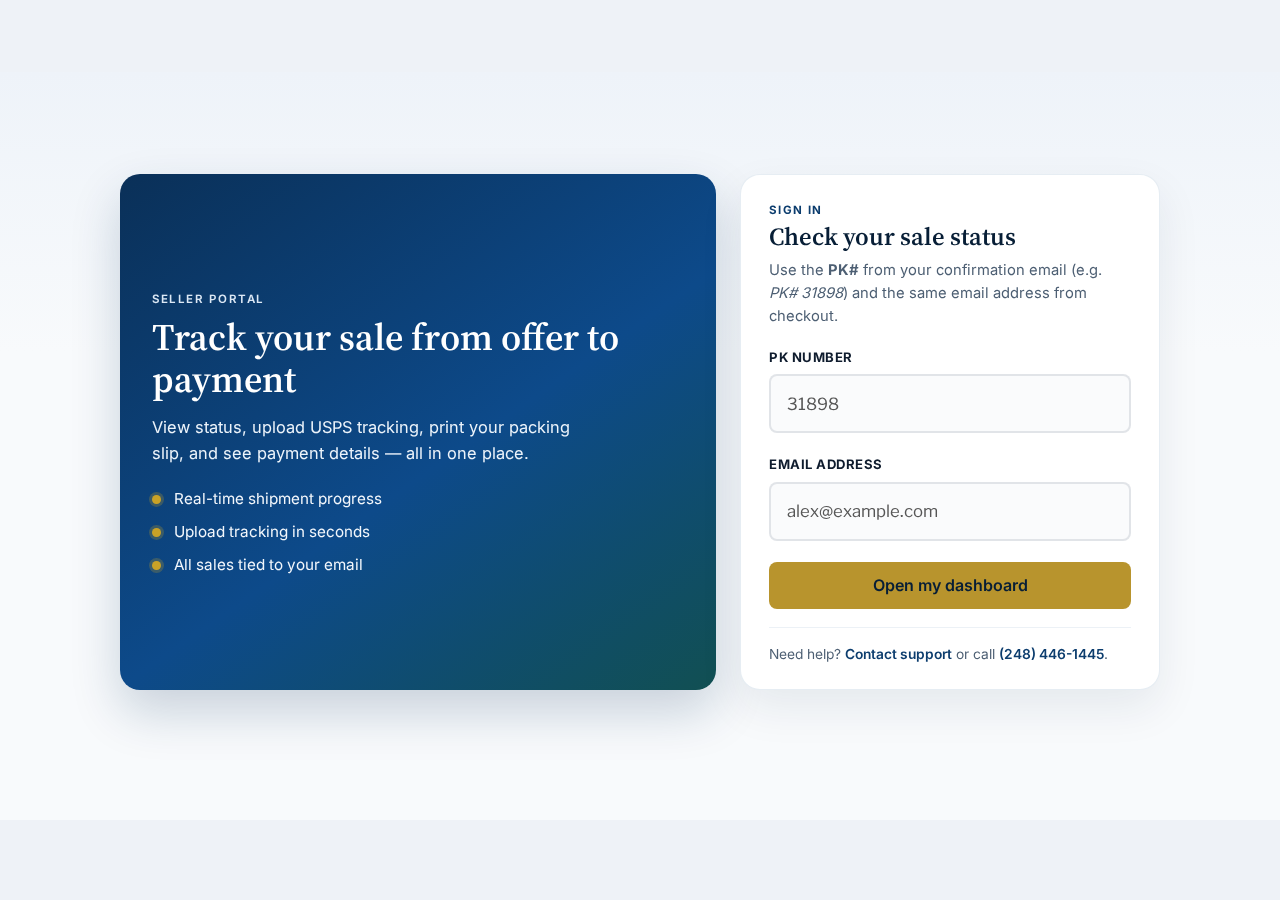
After checkout, open Check My Sale with your PK# and email. One login covers every sale tied to that address.
Portal status walkthrough
Each sale moves through five milestones. The portal header, timeline, and payout card all update automatically — here is what you see at every step.
Stage 1
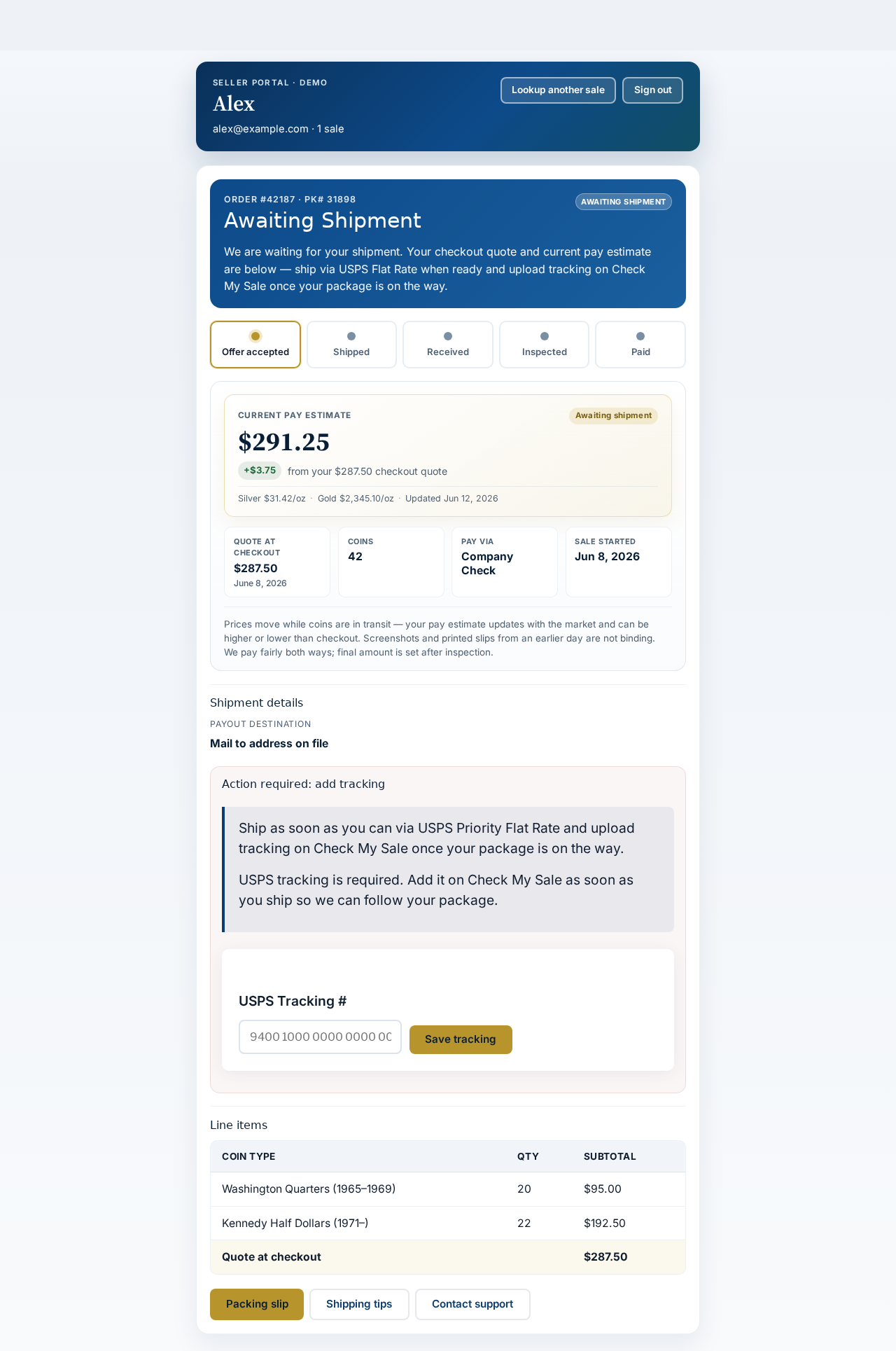
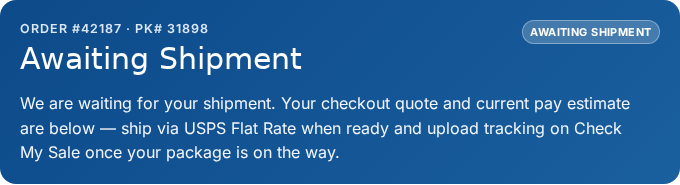
Awaiting shipment
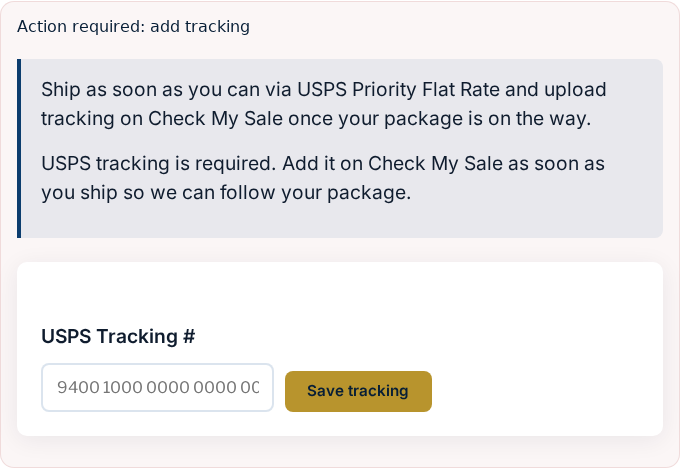
You accepted but have not shipped yet (or tracking is not uploaded). The portal shows your checkout quote, a current pay estimate, and an Action required block to add USPS tracking.
- Print your packing slip and ship USPS Priority Flat Rate
- USPS tracking is required. Add it on Check My Sale as soon as you ship so we can follow your package.
Stage 2
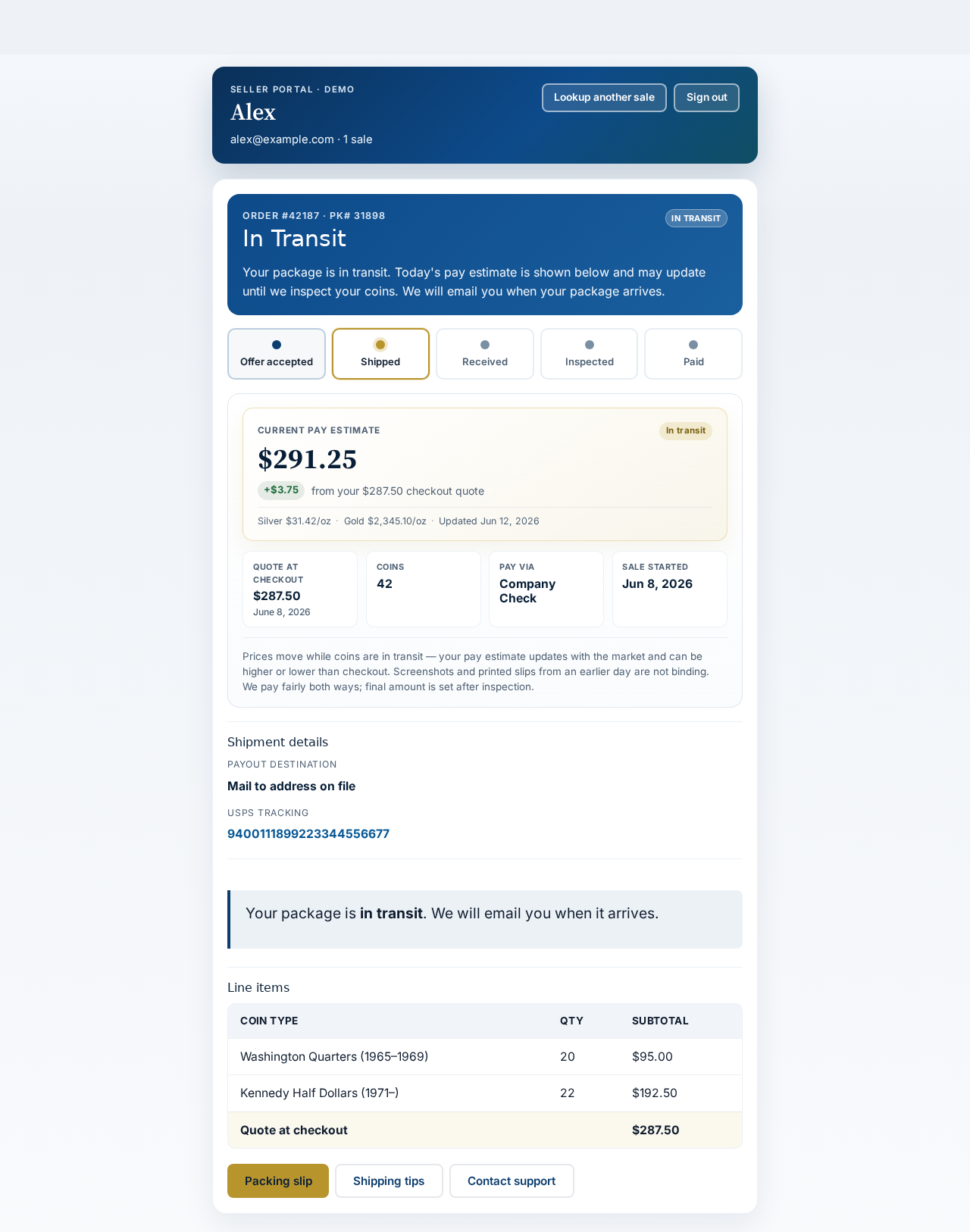
In transit
After you save tracking, the status badge switches to In Transit. The timeline advances to Shipped. Pay estimate still updates with spot while your package is on the way.
Stage 3
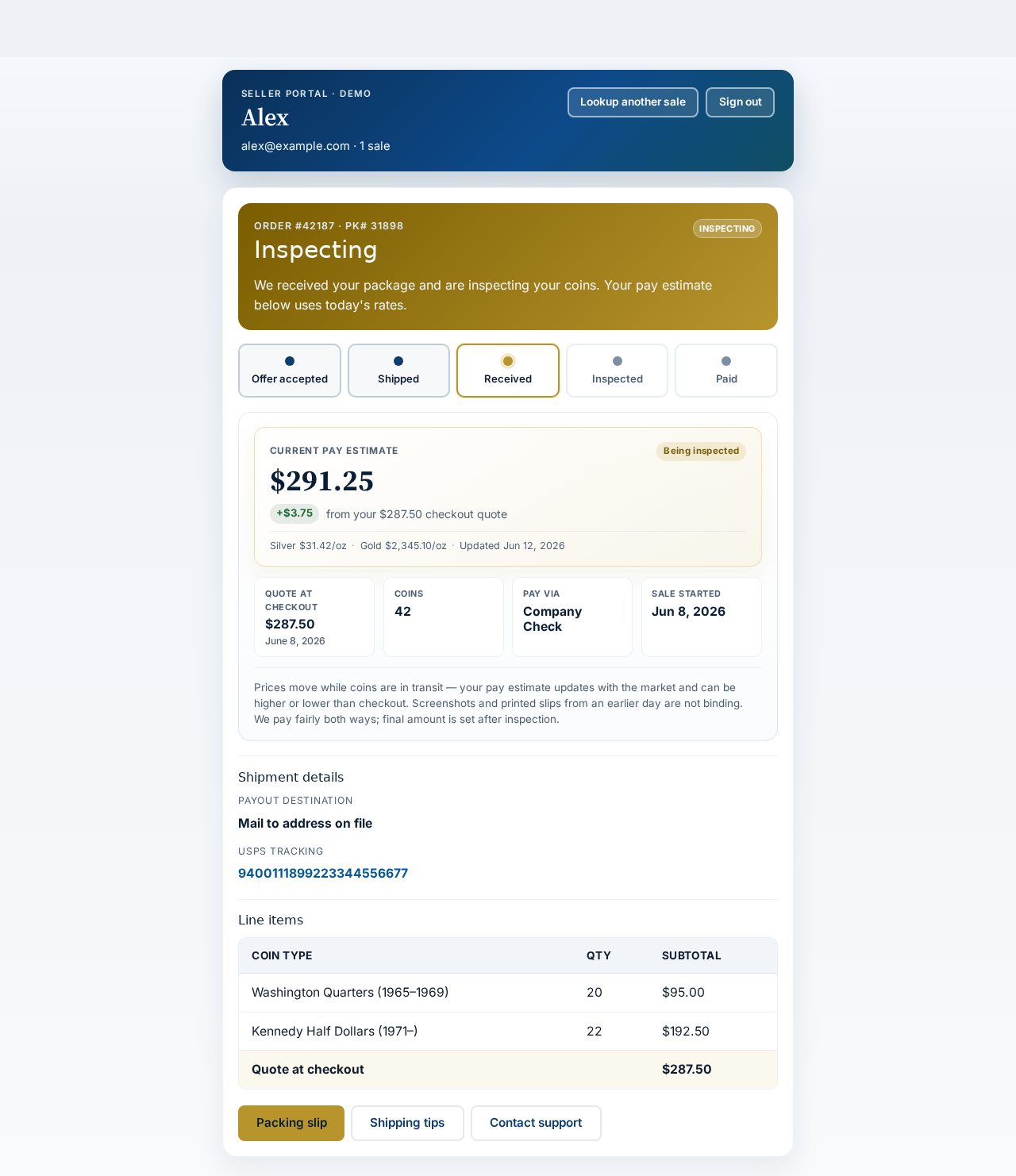
Inspecting
When we receive your box, status becomes Inspecting. We verify coin types, counts, and condition. You will get an email — the portal message explains we are working through your lot.
Stage 4
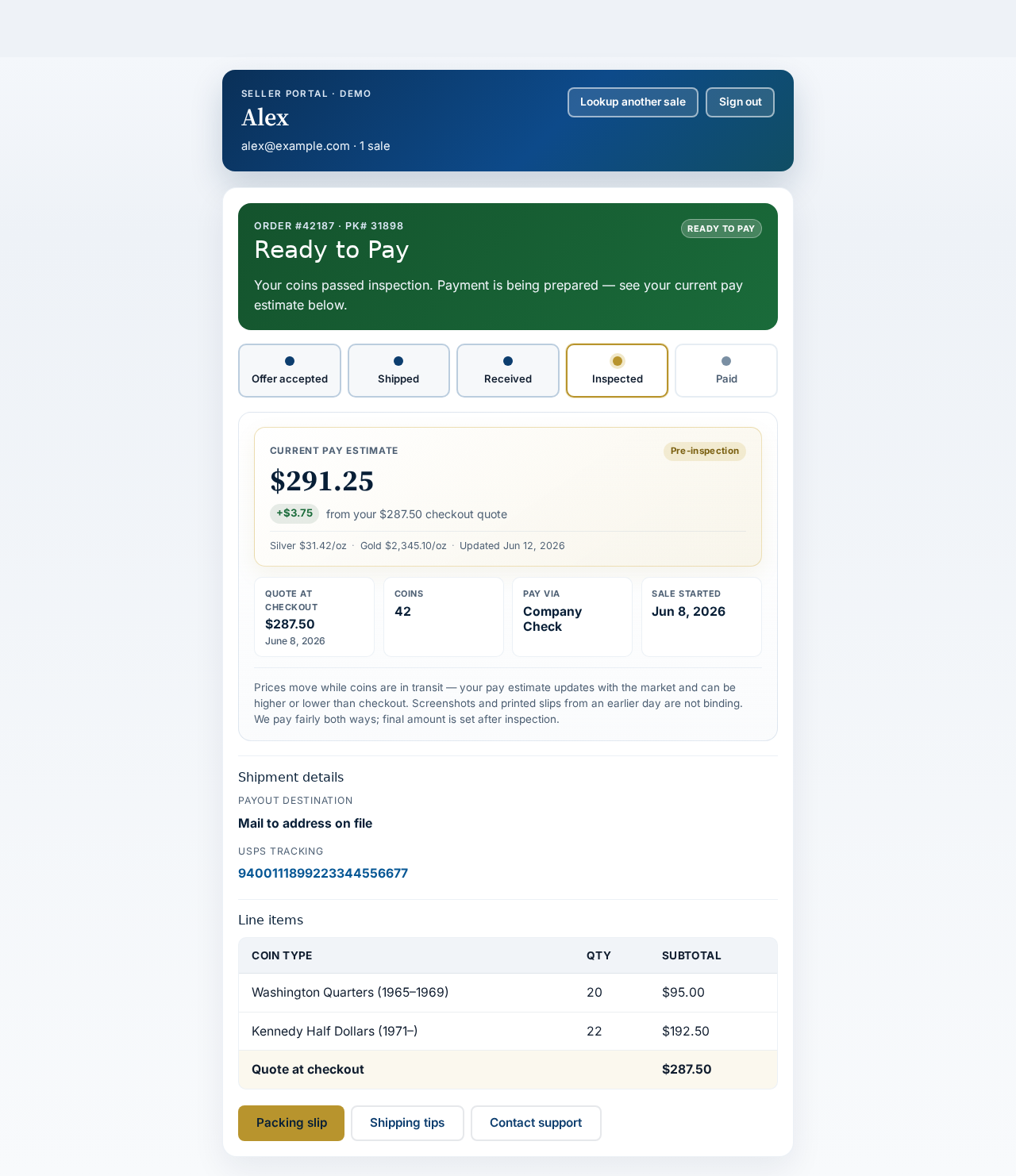
Ready to pay
Inspection passed. Status shows Ready to Pay and the timeline reaches Inspected. Payment is queued to your chosen method (check, PayPal, Zelle, etc.).
Stage 5
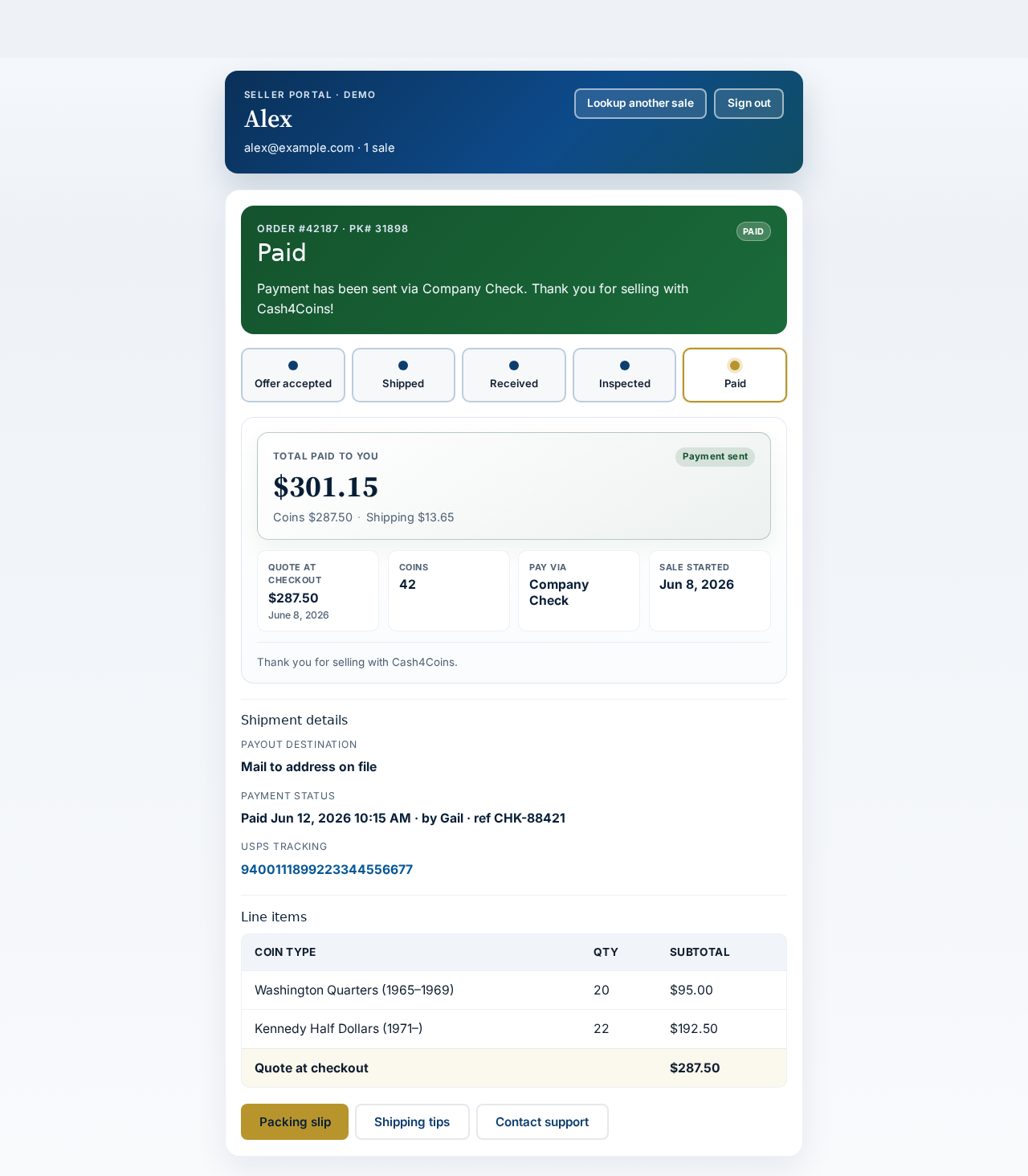
Paid
Once payment goes out, the payout card shows Total paid to you — coins plus any shipping reimbursement. Timeline completes at Paid. Line items and payment reference stay on file for your records.
Close-ups: what to look for
These are the same panels from the Awaiting shipment screen — the parts sellers use most.

Quick reference
Where is my PK#?
Checkout confirmation email, packing slip, and the top of every portal screen (PK# 31907 in our samples).
When does payment finalize?
After we inspect your coins — not at checkout. Estimates help you follow the market; inspection sets the final amount.
Multiple sales?
One email can have several orders. The portal lists each sale — tap to switch without signing in again.
Shipping help
USPS Priority Flat Rate only. Full packing guide: How to ship your coins.
Ready to start — or already selling?
New sellers: get your quote on the homepage. After checkout, track everything in the portal.